What's new in Supernormal
Details about all the most recent updates, new features, and other improvements.
Feb 4, 2026
Supernormal now powers all your work
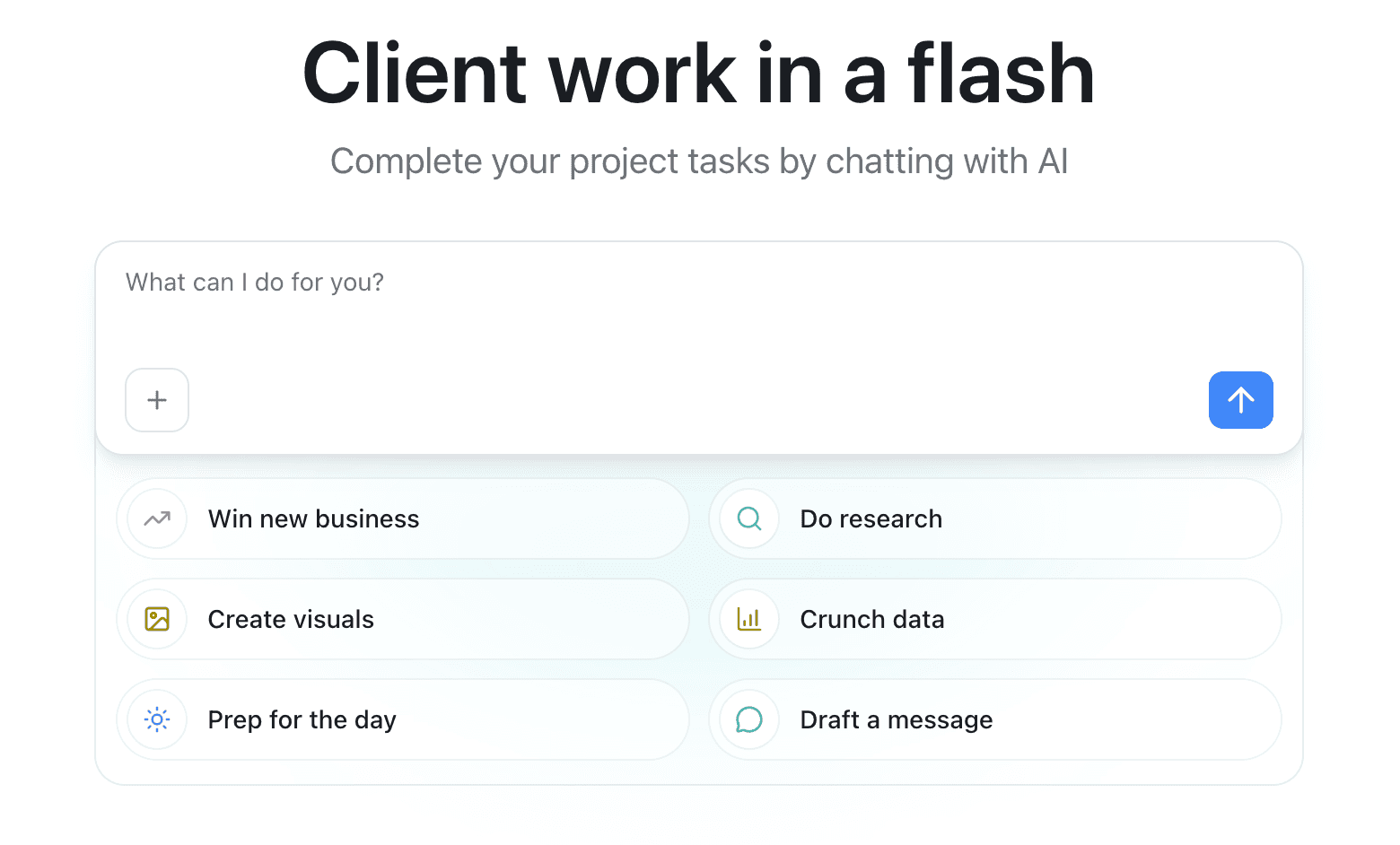
New Supernormal is here! Supernormal is no longer just for meeting notes. It's for all the client work you take on daily, referencing context from your meeting notes, emails, documents, and calendar, so outputs are spot on. Create presentations, spreadsheets, strategy documents, daily work plans, and more.
What you can do now
Create whatever you need: Images, spreadsheets, slide decks, documents. Export to Google Drive, Microsoft Office, or save locally. Agents handles it all.
Watch agents do the work for you: Write a short prompt and watch Supernormal create a task list, execute, and handle multiple tasks at once. It's like having a teammate helping out with every item on your to-do list.
Upload anything: Drop files into you prompt to give the agent the context it needs. Reference meetings and groups of meetings you've captured in Supernormal. No more copying and pasting.
Share instantly: Generate a public link for anything you generate. Show your work to anyone, anywhere.
Work in context: Connect a Supernormal project and the agent will reference only meetings saved to that project. No confusion over client details or project goals.
Access everything: Any previous meeting captures are still right there in the Meetings section, ready to be referenced. Mac app users can launch the desktop app directly from Supernormal.
This is just the beginning
This experience is still free to use while in the research preview stage. Our product team is moving fast and listening to your feedback. Expect rough edges here and there, as well as improvements every day. The Mac app is also still free and unlimited so you can capture meetings without a bot, then reference those meetings in your agentic work.
What's next
Gmail and Google Drive connectors coming soon
Smarter recommended use cases based on what you actually need
A new Windows app
We built this new experience because AI agents have long been missing your most important context: your meetings. We can't wait to see what you create!
Feb 4, 2026
Supernormal now powers all your work
New Supernormal is here! Supernormal is no longer just for meeting notes. It's for all the client work you take on daily, referencing context from your meeting notes, emails, documents, and calendar, so outputs are spot on. Create presentations, spreadsheets, strategy documents, daily work plans, and more.
What you can do now
Create whatever you need: Images, spreadsheets, slide decks, documents. Export to Google Drive, Microsoft Office, or save locally. Agents handles it all.
Watch agents do the work for you: Write a short prompt and watch Supernormal create a task list, execute, and handle multiple tasks at once. It's like having a teammate helping out with every item on your to-do list.
Upload anything: Drop files into you prompt to give the agent the context it needs. Reference meetings and groups of meetings you've captured in Supernormal. No more copying and pasting.
Share instantly: Generate a public link for anything you generate. Show your work to anyone, anywhere.
Work in context: Connect a Supernormal project and the agent will reference only meetings saved to that project. No confusion over client details or project goals.
Access everything: Any previous meeting captures are still right there in the Meetings section, ready to be referenced. Mac app users can launch the desktop app directly from Supernormal.
This is just the beginning
This experience is still free to use while in the research preview stage. Our product team is moving fast and listening to your feedback. Expect rough edges here and there, as well as improvements every day. The Mac app is also still free and unlimited so you can capture meetings without a bot, then reference those meetings in your agentic work.
What's next
Gmail and Google Drive connectors coming soon
Smarter recommended use cases based on what you actually need
A new Windows app
We built this new experience because AI agents have long been missing your most important context: your meetings. We can't wait to see what you create!
Supernormal now powers all your work
New Supernormal is here! Supernormal is no longer just for meeting notes. It's for all the client work you take on daily, referencing context from your meeting notes, emails, documents, and calendar, so outputs are spot on. Create presentations, spreadsheets, strategy documents, daily work plans, and more.
What you can do now
Create whatever you need: Images, spreadsheets, slide decks, documents. Export to Google Drive, Microsoft Office, or save locally. Agents handles it all.
Watch agents do the work for you: Write a short prompt and watch Supernormal create a task list, execute, and handle multiple tasks at once. It's like having a teammate helping out with every item on your to-do list.
Upload anything: Drop files into you prompt to give the agent the context it needs. Reference meetings and groups of meetings you've captured in Supernormal. No more copying and pasting.
Share instantly: Generate a public link for anything you generate. Show your work to anyone, anywhere.
Work in context: Connect a Supernormal project and the agent will reference only meetings saved to that project. No confusion over client details or project goals.
Access everything: Any previous meeting captures are still right there in the Meetings section, ready to be referenced. Mac app users can launch the desktop app directly from Supernormal.
This is just the beginning
This experience is still free to use while in the research preview stage. Our product team is moving fast and listening to your feedback. Expect rough edges here and there, as well as improvements every day. The Mac app is also still free and unlimited so you can capture meetings without a bot, then reference those meetings in your agentic work.
What's next
Gmail and Google Drive connectors coming soon
Smarter recommended use cases based on what you actually need
A new Windows app
We built this new experience because AI agents have long been missing your most important context: your meetings. We can't wait to see what you create!
Jan 28, 2026
Radiant is now Supernormal
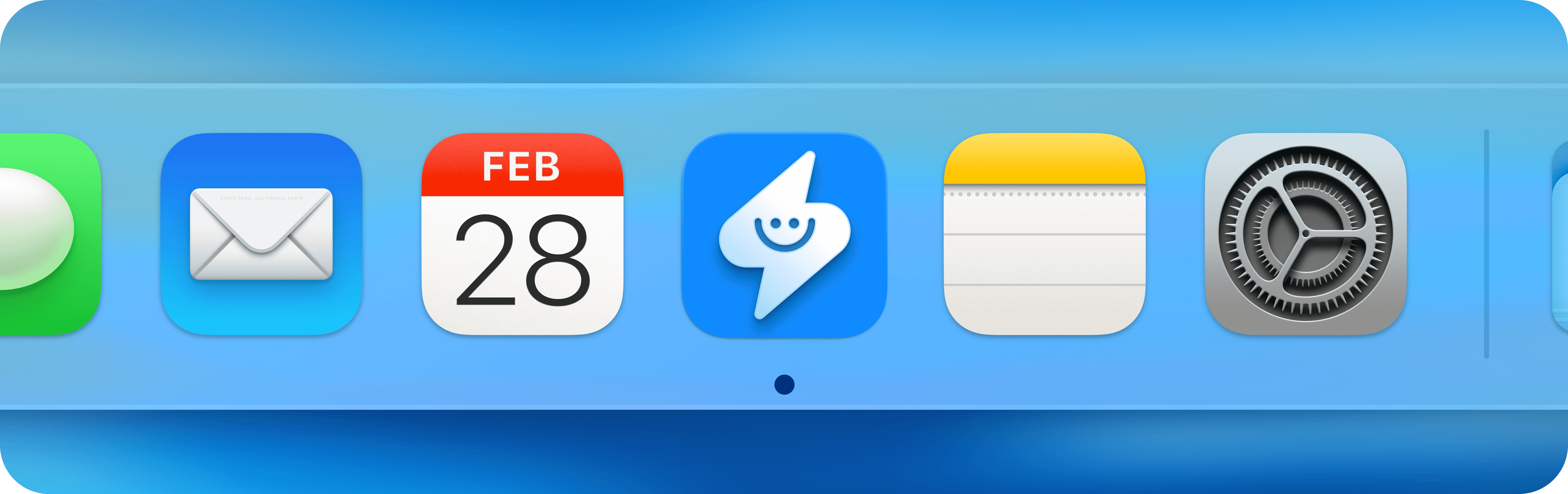
The app will work exactly as before, but with a new name and app logo.
Supernormal, the company behind Radiant, is about to become much more than just a notetaker, so it made sense to bring Radiant back into the Supernormal brand family. The app won't change, but soon you'll be able to do much more with the meetings you capture. Stay tuned for more information soon!
Jan 28, 2026
Radiant is now Supernormal
The app will work exactly as before, but with a new name and app logo.
Supernormal, the company behind Radiant, is about to become much more than just a notetaker, so it made sense to bring Radiant back into the Supernormal brand family. The app won't change, but soon you'll be able to do much more with the meetings you capture. Stay tuned for more information soon!
Radiant is now Supernormal
The app will work exactly as before, but with a new name and app logo.
Supernormal, the company behind Radiant, is about to become much more than just a notetaker, so it made sense to bring Radiant back into the Supernormal brand family. The app won't change, but soon you'll be able to do much more with the meetings you capture. Stay tuned for more information soon!
Jan 15, 2026
0.19.0: New post-meeting experience

✨ New post-meeting experience
We've redesigned how you work with your meetings after they end.
📝 Notes take center stage Your meeting notes now occupy the full main view. After a meeting ends, watch as Radiant enhances your notes in real-time—then click anywhere to edit, format with headings and lists, and polish before sharing. Radiant saves automatically.
💬 Chat stays accessible on the right We've moved chat into a persistent right-hand panel that you can open or collapse anytime. This means you can pull information, generate drafts, and ask questions without ever leaving your notes.
The right panel also includes:
Suggested next steps—click any suggestion to instantly generate emails, messages, or documents
History navigation via the 🕘 button—revisit previous chats and suggestions
One-click toggle to collapse when you want to focus
📂 Chat with Projects (formerly Folders)
Pull information or generate outputs based on multiple meetings related to the same project. Add your meetings to a project to chat and prompt based on all the notes and transcripts it contains.
Jan 15, 2026
0.19.0: New post-meeting experience
✨ New post-meeting experience
We've redesigned how you work with your meetings after they end.
📝 Notes take center stage Your meeting notes now occupy the full main view. After a meeting ends, watch as Radiant enhances your notes in real-time—then click anywhere to edit, format with headings and lists, and polish before sharing. Radiant saves automatically.
💬 Chat stays accessible on the right We've moved chat into a persistent right-hand panel that you can open or collapse anytime. This means you can pull information, generate drafts, and ask questions without ever leaving your notes.
The right panel also includes:
Suggested next steps—click any suggestion to instantly generate emails, messages, or documents
History navigation via the 🕘 button—revisit previous chats and suggestions
One-click toggle to collapse when you want to focus
📂 Chat with Projects (formerly Folders)
Pull information or generate outputs based on multiple meetings related to the same project. Add your meetings to a project to chat and prompt based on all the notes and transcripts it contains.
0.19.0: New post-meeting experience
✨ New post-meeting experience
We've redesigned how you work with your meetings after they end.
📝 Notes take center stage Your meeting notes now occupy the full main view. After a meeting ends, watch as Radiant enhances your notes in real-time—then click anywhere to edit, format with headings and lists, and polish before sharing. Radiant saves automatically.
💬 Chat stays accessible on the right We've moved chat into a persistent right-hand panel that you can open or collapse anytime. This means you can pull information, generate drafts, and ask questions without ever leaving your notes.
The right panel also includes:
Suggested next steps—click any suggestion to instantly generate emails, messages, or documents
History navigation via the 🕘 button—revisit previous chats and suggestions
One-click toggle to collapse when you want to focus
📂 Chat with Projects (formerly Folders)
Pull information or generate outputs based on multiple meetings related to the same project. Add your meetings to a project to chat and prompt based on all the notes and transcripts it contains.
Jan 6, 2026
0.18.4: Speaker identification improvements
🗣️ Speaker identification improvements in meeting transcript. We've heard your feedback about improved identification of unique individuals. In this version, expect more precise differentiation of unique individuals participating in your meetings, reflected in each meeting's transcript.
🔋 Improved CPU and battery performance. We made some under-the-hood changes so that Radiant uses less processing power and does a better job of conserving your battery life.
Jan 6, 2026
0.18.4: Speaker identification improvements
🗣️ Speaker identification improvements in meeting transcript. We've heard your feedback about improved identification of unique individuals. In this version, expect more precise differentiation of unique individuals participating in your meetings, reflected in each meeting's transcript.
🔋 Improved CPU and battery performance. We made some under-the-hood changes so that Radiant uses less processing power and does a better job of conserving your battery life.
0.18.4: Speaker identification improvements
🗣️ Speaker identification improvements in meeting transcript. We've heard your feedback about improved identification of unique individuals. In this version, expect more precise differentiation of unique individuals participating in your meetings, reflected in each meeting's transcript.
🔋 Improved CPU and battery performance. We made some under-the-hood changes so that Radiant uses less processing power and does a better job of conserving your battery life.
Dec 18, 2025
0.18.3: Reorder folders
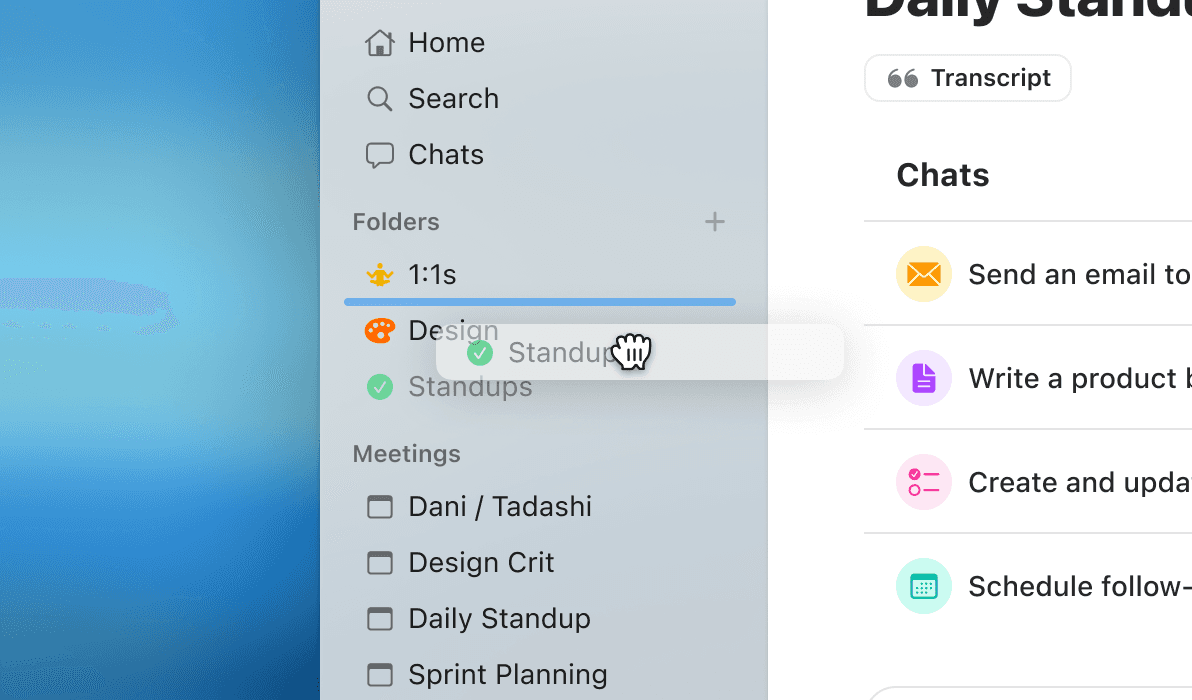
📂 Reorder folders in the left hand navigation. Get to what you need faster and reposition your folders by dragging and dropping them, in your preferred order.
Dec 18, 2025
0.18.3: Reorder folders
📂 Reorder folders in the left hand navigation. Get to what you need faster and reposition your folders by dragging and dropping them, in your preferred order.
0.18.3: Reorder folders
📂 Reorder folders in the left hand navigation. Get to what you need faster and reposition your folders by dragging and dropping them, in your preferred order.
Dec 9, 2025
0.18.0: Folders
📂 Create folders to better organize your meetings, notes, and related documents. Arrange and group your meetings by attendees, project, type of meeting—however you see fit—into one single space. Click on the ➕ next to Folders in the left navigation to choose an icon, color, and folder name. Drag individual meetings into a folder to easily add it to an existing folder.
Learn more about how to use folders in our Help Center.
Dec 9, 2025
0.18.0: Folders
📂 Create folders to better organize your meetings, notes, and related documents. Arrange and group your meetings by attendees, project, type of meeting—however you see fit—into one single space. Click on the ➕ next to Folders in the left navigation to choose an icon, color, and folder name. Drag individual meetings into a folder to easily add it to an existing folder.
Learn more about how to use folders in our Help Center.
0.18.0: Folders
📂 Create folders to better organize your meetings, notes, and related documents. Arrange and group your meetings by attendees, project, type of meeting—however you see fit—into one single space. Click on the ➕ next to Folders in the left navigation to choose an icon, color, and folder name. Drag individual meetings into a folder to easily add it to an existing folder.
Learn more about how to use folders in our Help Center.
© 2026 Supernormal Technologies, Inc
© 2026 Supernormal Technologies, Inc
© 2026 Supernormal Technologies, Inc